How to Convert HEIC to JPG on iPhone, Windows and Mac (Free)
iPhone photos saved as .HEIC that won't open or upload? Here is how to convert HEIC to JPG for free in your browser, one photo or many at once, plus how to make your iPhone save JPG.
You copied photos from an iPhone to a Windows laptop, or tried to upload one to a job portal, and the file ends in .HEIC. Windows says it can't open it, and the website only accepts JPG. This guide shows the fastest free way to convert HEIC to JPG, for one photo or a whole batch, and how to stop it happening again.
What is a HEIC file?
HEIC (also written HEIF) is the photo format newer iPhones use by default. It keeps the same quality as a JPG in a smaller file, which saves space on your phone. The catch: many Windows PCs, older apps and most upload forms don't accept it. JPG works almost everywhere, so converting is the simplest fix.
HEIC vs JPG at a glance
| HEIC | JPG | |
|---|---|---|
| File size | Smaller for the same quality | Larger |
| Opens on iPhone and Mac | Yes | Yes |
| Opens on Windows | Often needs extra extensions | Yes, always |
| Accepted by upload forms and portals | Rarely | Almost always |
| Best for | Storing photos on your iPhone | Sharing, printing, uploading |
In short: keep HEIC on your phone if you like the space saving, and convert to JPG whenever a photo needs to leave Apple devices: for a government or exam form, a job application, a print shop, a Windows PC or a website.
Convert HEIC to JPG in 4 steps
- Open the free HEIC to JPG converter on your phone or computer.
- Tap Choose images and pick one or more .HEIC or .HEIF photos, or drag them onto the page.
- Tap Convert to JPG.
- Tap Download JPG (one photo) or Download ZIP (several photos).
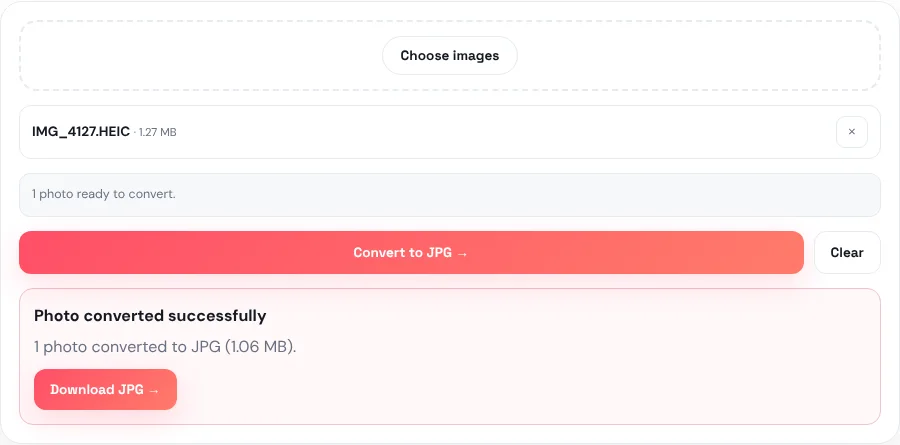
Private by design: the conversion runs inside your browser. Your photos are never uploaded to our server, which matters for personal and family pictures.
The JPG is saved at high quality (90%), so it looks the same as the original on screen and in print. It keeps the original name, so IMG_4127.HEIC becomes IMG_4127.jpg.
Converting many photos at once
You can select as many HEIC photos as you like in one go. When you convert more than one, the tool packs all the JPGs into a single ZIP file, so you download them with one tap instead of one by one.
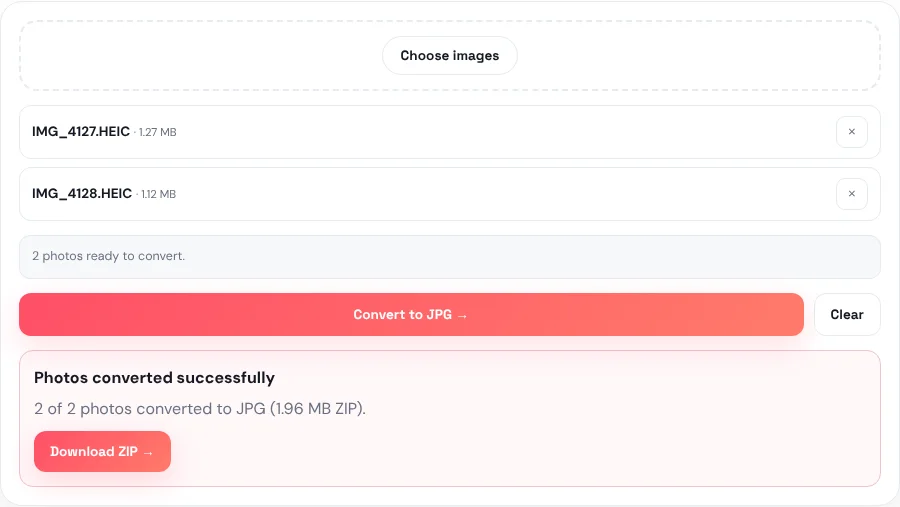
- Inside the ZIP, files are numbered in the order you added them, for example 1-IMG_4127.jpg, 2-IMG_4128.jpg.
- The ZIP is named converted-jpg.zip. On Windows, right-click it and choose Extract All; on Mac or iPhone, tap it to open.
- If one photo in the batch can't be converted, the others still are, and the result tells you which file was skipped.
- The work happens on your device, so a very large batch on an older phone may be slow. Converting in smaller groups is more comfortable on phones.
On an iPhone: convert, or stop saving HEIC
Convert photos already taken
The converter works in Safari on iPhone. Tap Choose images, choose Photo Library or Choose Files, select your photos and convert. Downloads go to Files → Downloads. Note that when you pick photos from the Photo Library, iPhone sometimes hands the browser a JPG copy automatically; if the tool says a file isn't HEIC, it's already a JPG and you can use it as it is.
Make the iPhone save JPG from now on
Go to Settings → Camera → Formats and choose Most Compatible. New photos are then saved as JPG instead of HEIC. Photos take a little more space, but they open everywhere.
Let the iPhone convert when copying to a PC
Go to Settings → Photos and, under Transfer to Mac or PC, choose Automatic. When you copy photos to a computer with a cable, the iPhone converts them to a compatible format on the way.
On Windows and Mac
| Your computer | Quickest way to get JPGs |
|---|---|
| Windows 10 or 11 | Use the HEIC to JPG converter in Chrome or Edge, no install needed. To just view HEIC photos in the Photos app, Windows may ask you to install Microsoft's HEIF/HEVC extensions from the Microsoft Store. |
| Mac | Open the photo in Preview, choose File → Export and pick JPEG. For many photos at once, the browser converter with ZIP download is faster. |
| Chromebook or Linux | Use the browser converter; it works the same way. |
| Android phone | Received HEIC photos on WhatsApp or by email? Open the converter in Chrome and convert them there. |
After converting: forms and file size
A converted iPhone photo is usually well over 1 MB, which is too big for many online forms. Two quick follow-ups:
- Need an exact size in pixels? Use Resize Image. Our guide on resizing a photo to passport or exam size shows how.
- Need it under 50 KB, 100 KB or 200 KB? Use Compress Image, explained step by step in how to compress an image to 50 KB.
- Want PNG instead? Use HEIC to PNG. PNG keeps every pixel but makes much bigger files, so JPG is better for uploads and sharing.
The right order for a form is: HEIC → JPG → resize → compress.
If something goes wrong
- "Only HEIC/HEIF photos are supported here." The file isn't a HEIC. If it's a PNG, WebP or GIF, use the Image Converter instead.
- The location and camera details are gone. That's expected: the converted JPG keeps the picture but not the hidden details such as GPS location and camera model. This is often a good thing before sharing a photo online.
- A Live Photo became a still picture. HEIC files that hold several frames are converted using the first frame, so you get one still JPG.
- The converter is slow or stops on a phone. Convert fewer photos at a time, close other tabs, or use a computer for large batches.
Frequently asked questions
How do I convert HEIC to JPG for free?
Open HEIC to JPG, choose your .HEIC photos, tap Convert to JPG and download the result. It works on phones and computers, with no sign-up and no watermark.
Can I convert many HEIC photos to JPG at once?
Yes. Select several photos together; the tool converts them all and gives you one ZIP file with the JPGs numbered in order.
Will converting HEIC to JPG reduce quality?
Not noticeably. The JPG is saved at 90% quality, which looks the same as the original on screen and in print. Only hidden details like location and camera model are not kept.
How do I stop my iPhone saving photos as HEIC?
Go to Settings → Camera → Formats and choose Most Compatible. New photos will be saved as JPG.
Why can't Windows open HEIC files?
Windows needs extra HEIF/HEVC extensions from the Microsoft Store to display HEIC. Converting to JPG avoids that and makes the photo work everywhere.
Can I convert HEIC to JPG on an Android phone?
Yes. If someone sends you HEIC photos on WhatsApp or by email, save them to your phone, open HEIC to JPG in Chrome, choose the files and convert. The JPGs are saved to your Downloads folder.
Are my photos uploaded when I convert them?
No. The conversion happens inside your browser, so your photos never leave your device.